See the drones in your airspace.

Remote ID awareness

See the drones in your airspace.

When a drone is over your site, your people should know where it’s flying and where the pilot is — so they can do something about it. One live map, whether that site is a campus, a fire, a plant, or a packed stadium.

The problem

You already patrol the ground, but who is watching your sky?

When a drone flies over a restricted area, a sensitive plant, or a stadium, your team is working without a clear picture of the airspace. Most U.S. drones already broadcast Remote ID — an FAA-mandated tracking beacon, the drone equivalent of ADS-B. Drone-Mapper is how you receive that beacon and put the aircraft and the pilot on a live map.

Live map with three drones and operators over a campus Close view of aircraft and operator pins on the quad A selected drone with its flight trail Full operations view with zones and statistics

Who it’s for

Drone-Mapper is built for the future; we’re here to help yours!

Campuses Sporting venues Construction Municipalities Fire departments Plants & yards

01 / 6

How it works

How coverage works: detectors around your site, one gateway on Wi-Fi, live map in software

What you buy

Everything you need for one site.

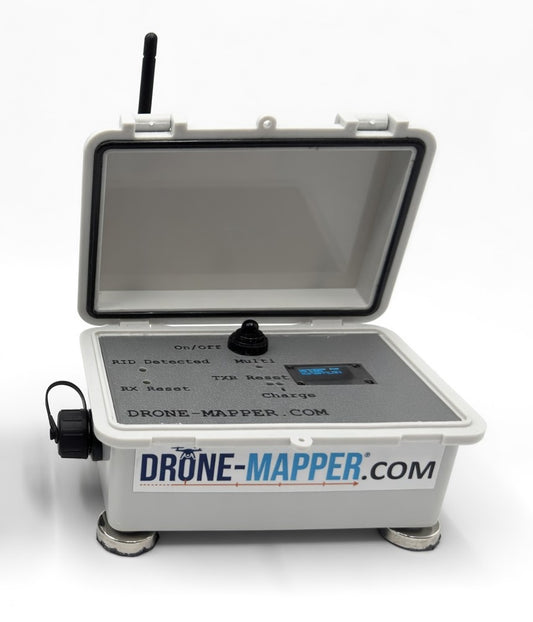
A gateway and one detector are enough to start. They see every Remote ID aircraft and its pilot. Add detectors as you cover more of the property — extra detectors on the same site do not raise the software price.

Drone-Mapper™ Starter Kit
Drone-Mapper™ Starter Kit Drone-Mapper™ Starter Kit Drone-Mapper™ Starter Kit Drone-Mapper™ Starter Kit Drone-Mapper™ Starter Kit

Start here

Drone-Mapper™ Starter Kit

$1,199.00

View listing

FAQ

What to know before you buy.

What does this actually detect? +

Drones that broadcast Remote ID - an FAA-mandated tracking beacon most U.S. drones already send while they fly. Same idea as ADS-B on manned aircraft. You see the aircraft and the pilot location on a live map.

Is this radar or a jammer? +

Neither. It listens. If a drone is not broadcasting Remote ID, it will not appear. That honesty is the point: you get a clear picture of compliant traffic, not a magic shield.

What do I buy to start? +

Starter Kit plus Web Service. One gateway, one detector, a hosted map. Add remotes later without a software overage.

How many detectors do I need? +

Height beats count. A small site often starts with the kit, both units mounted high. A campus typically grows to 2-4 remotes. Add boxes for measured gaps - not anxiety.

What if the site has no internet? +

The gateway needs a path out. If Wi-Fi is not an option, add Managed Starlink. People watching the map use their own internet.